如何下载Figma汉化版

佛山/网页设计师/3年前/550浏览
版权
如何下载Figma汉化版
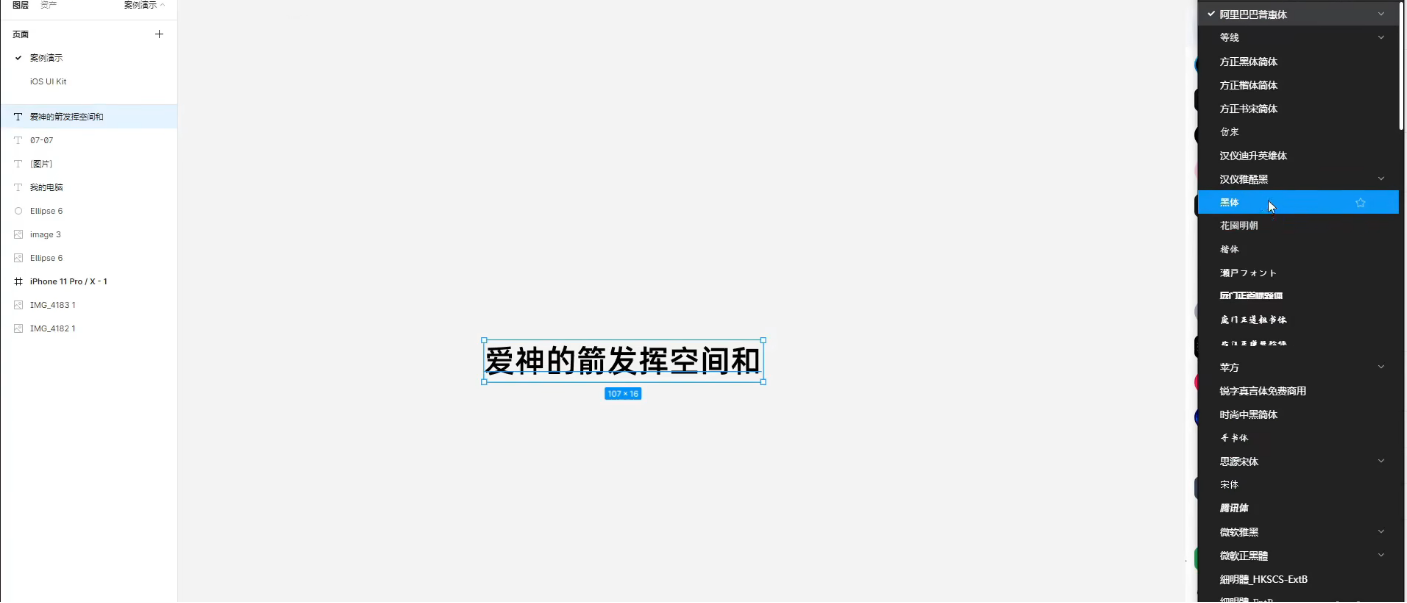
figma汉化版安装教程,字体可看到中文字以及功能翻译
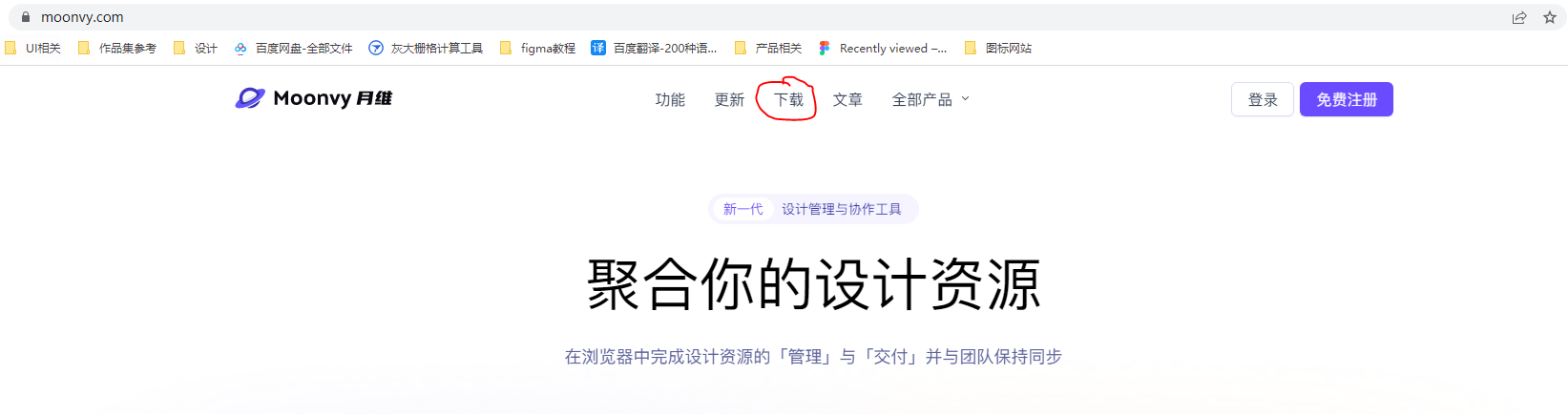
1.打开月维网https://moonvy.com/

2.点击“下载”
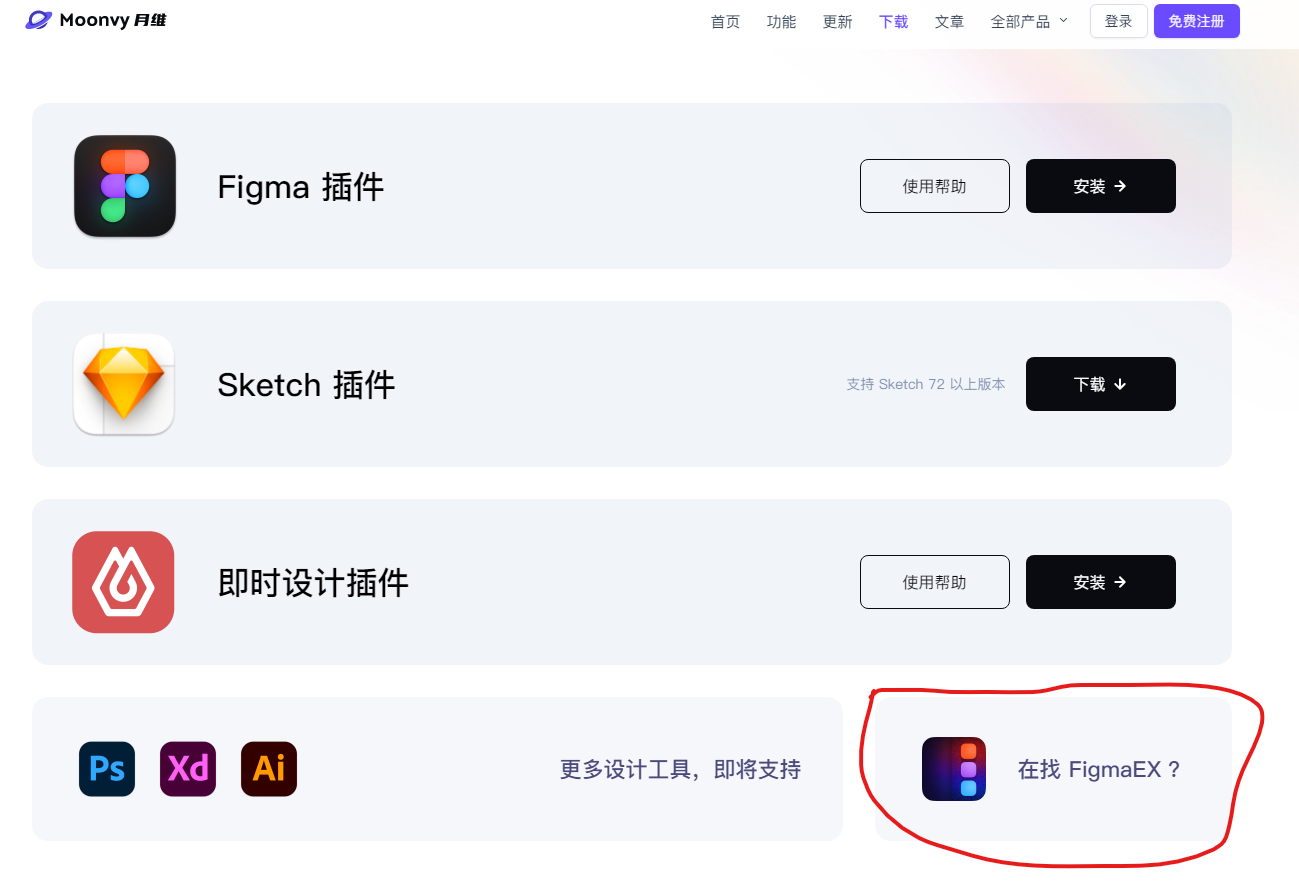
3.下滑找到“figmaEX”
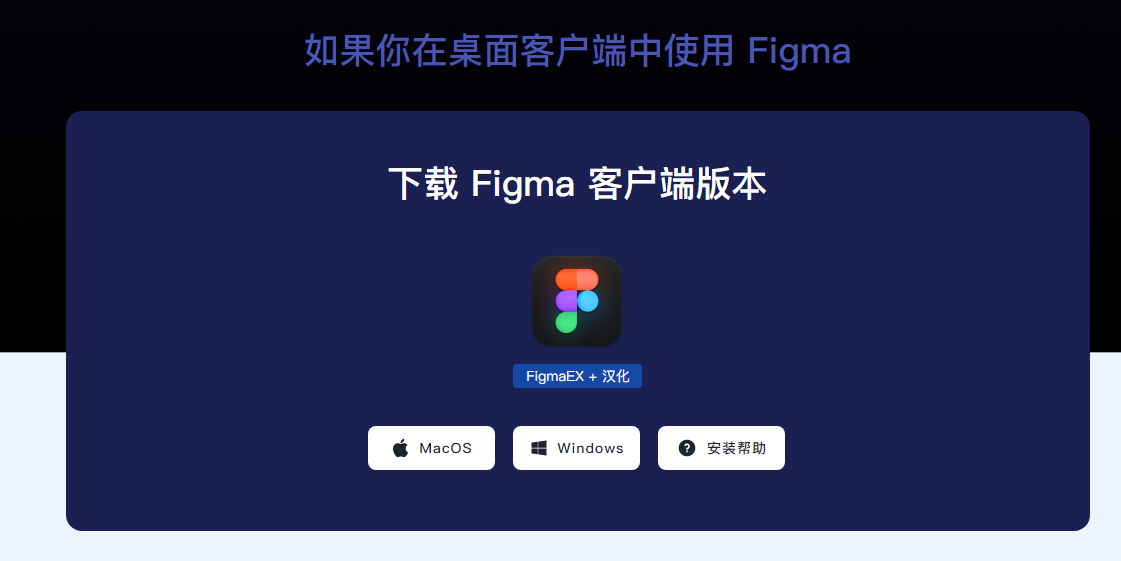
4.选择对应的设备
5.选择“figma汉化+EX”
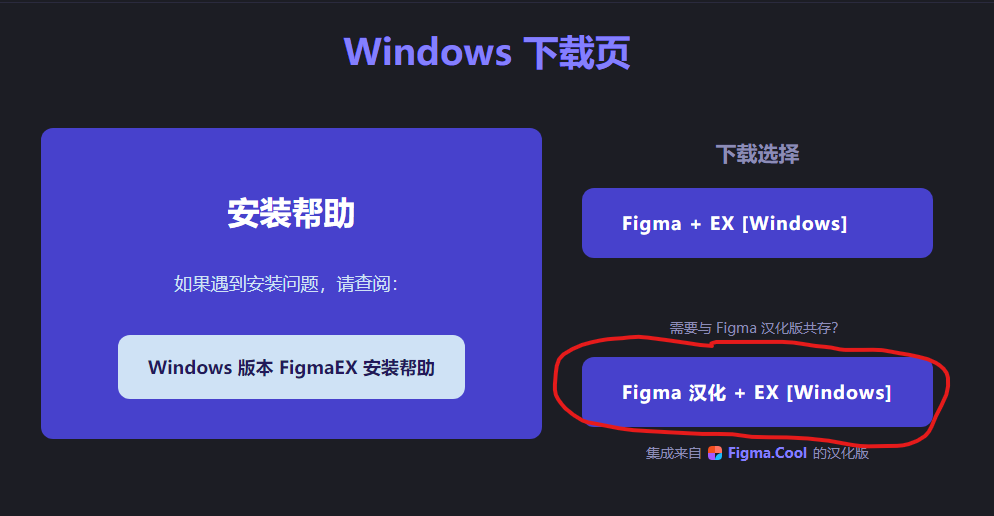
6.下载到本地
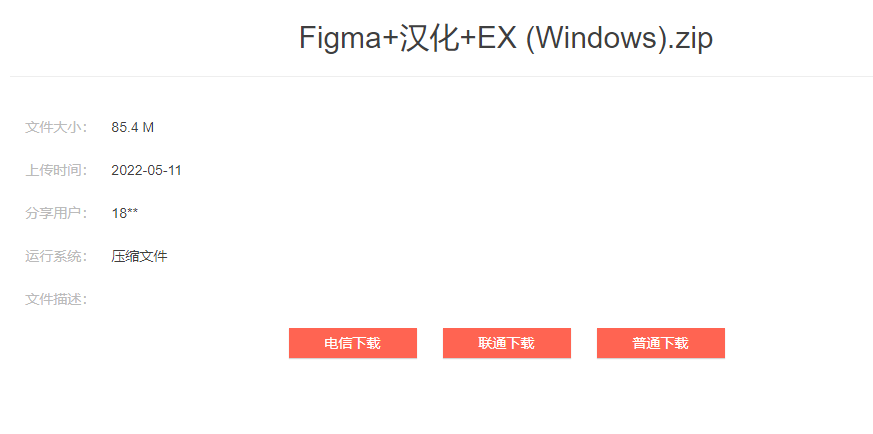
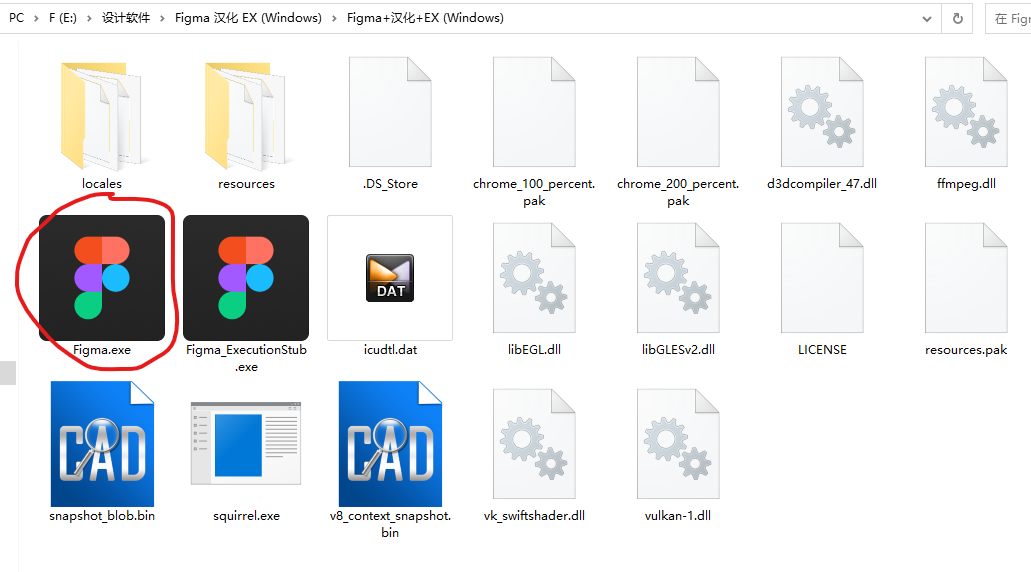
7.解压文件后双击Figma.exe
8.登陆figma,汉化完成。
3
举报
声明
6
分享
相关推荐










评论你的想法~
表情
喜欢TA的作品吗?喜欢就快来夸夸TA吧!
推荐素材















你可能喜欢










相关收藏夹





















登录注册
3登录即可同步推荐记录哦
6登录即可加入我的收藏
评论登录即可评论想法
分享分享