blender-建模-如何在blender3.0里使用投影切割

广州/三维设计师/4年前/544浏览
版权
blender-建模-如何在blender3.0里使用投影切割
blender-建模-如何在blender3.0里使用投影切割
Mosaic发现3.0版本投影切割的使用方式有变化:
原先2.9x是选择被切割对象作为活动物体进入编辑模式:网格-投影切割;
现在2.9x这个方法在3.0失效了,所以3.0的投影切割该怎么用呢?
解决方案
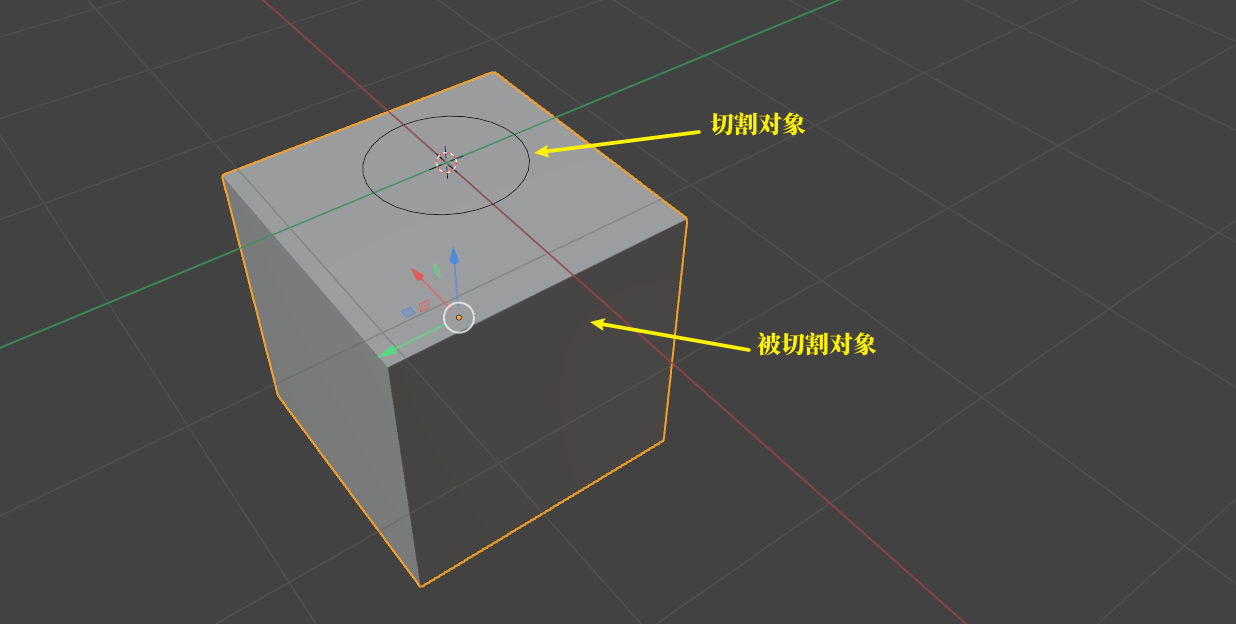
被切割对象:立方体;
切割对象:圆环;
流程:
对象模式,选择立方体;
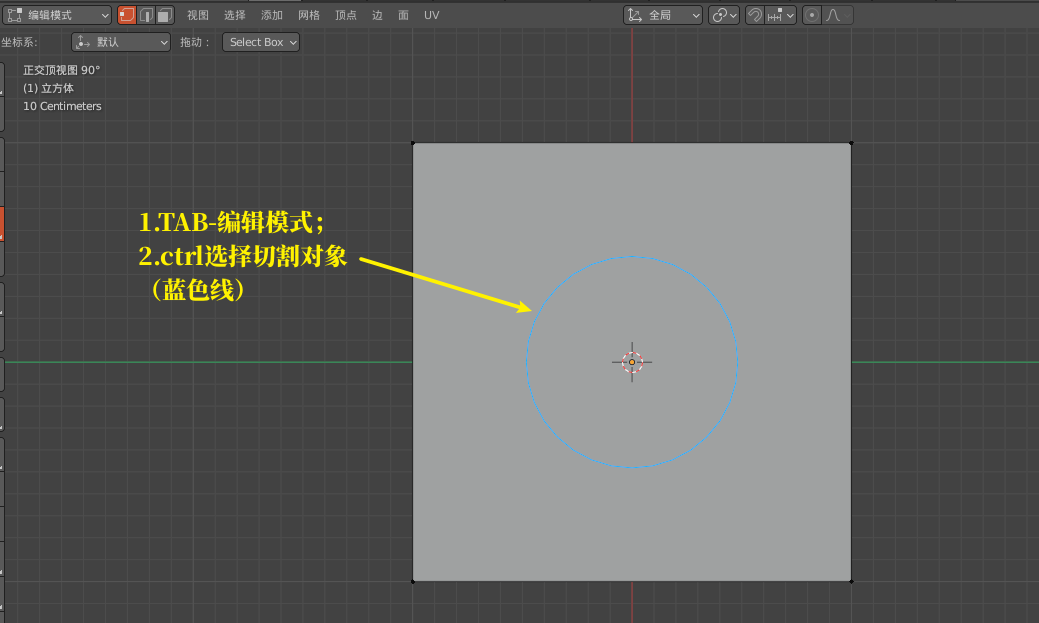
tab编辑模式:按ctrl选择圆环;
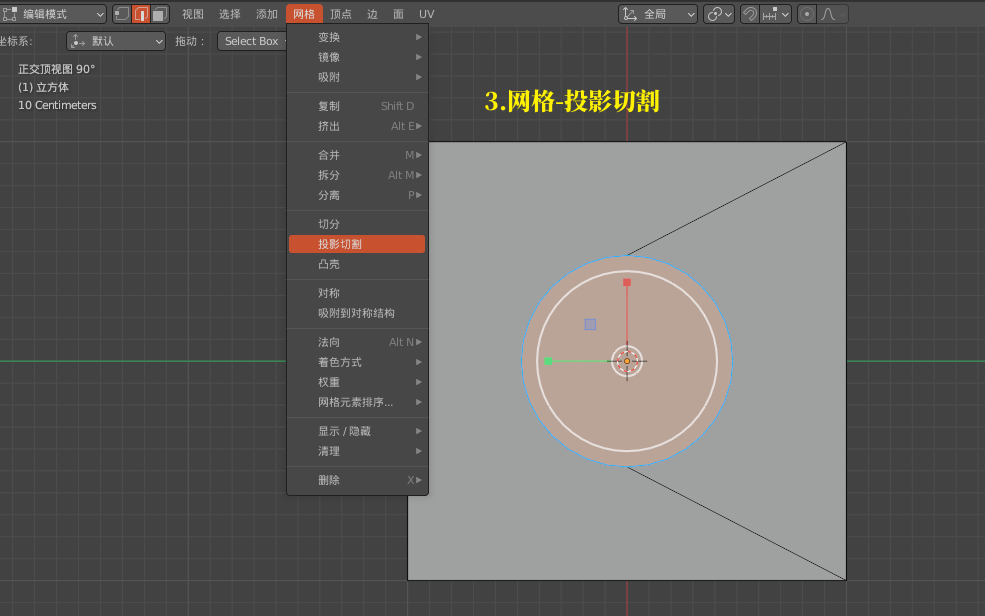
网格-投影切割;
over!又能愉快的打洞了。
2
Report
声明
收藏
Share
相关推荐









in to comment
Add emoji
喜欢TA的作品吗?喜欢就快来夸夸TA吧!

推荐素材

























You may like











相关收藏夹
























Log in
2Log in and synchronize recommended records
收藏Log in and add to My Favorites
评论Log in and comment your thoughts
分享Share