FFmpeg 视频处理

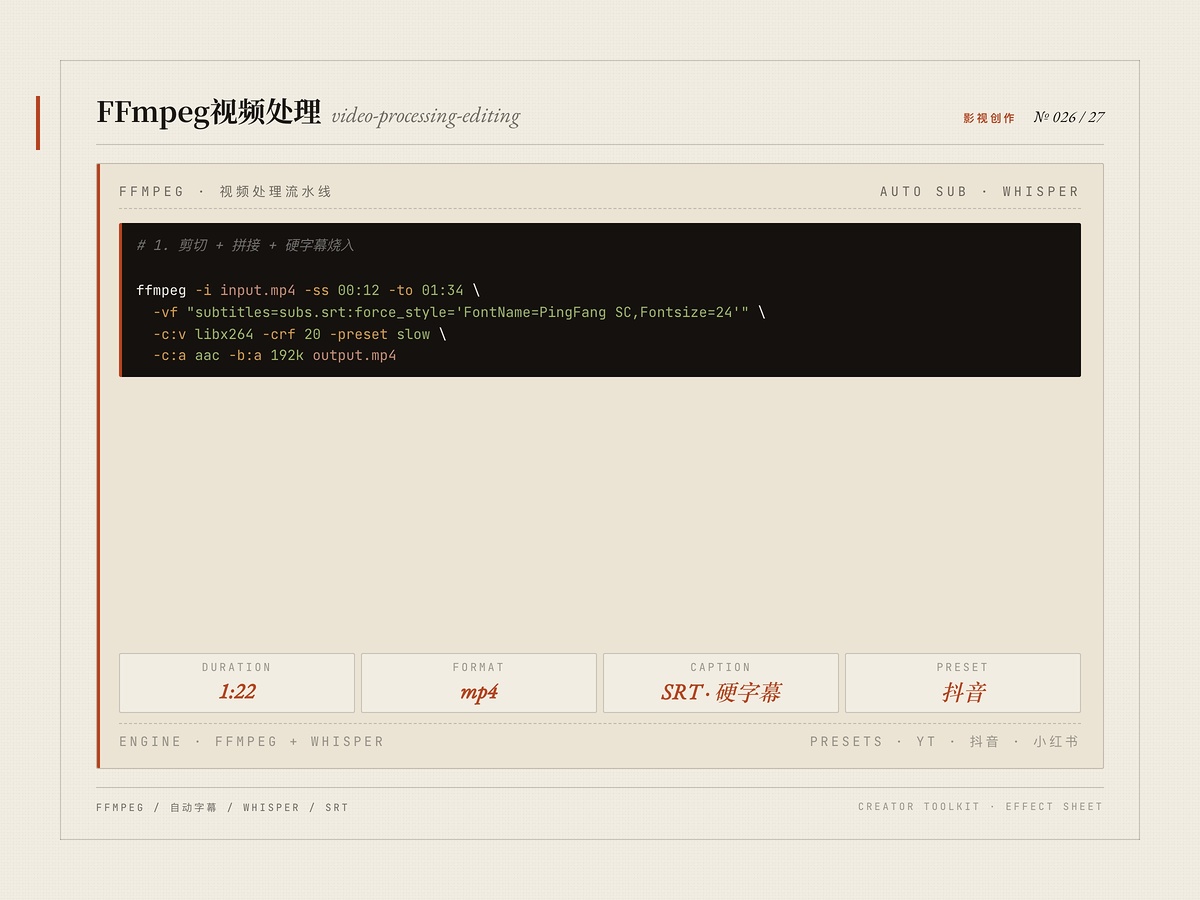
该内容为人工智能生成合成,请注意甄别
适合谁
视频后期/自动化生产者
目标结果
自动化视频剪辑与字幕
场景
影视
ffmpeg
自动字幕
whisper
srt
视频后期
批量处理
硬字幕
使用说明
基于 FFmpeg 的视频自动化工具集:剪切裁剪、拼接拼合、音频混音、时间轴编辑、转场与特效、平台导出优化(YouTube / 抖音 / 小红书)、字幕处理、颜色分级、批量处理。含自动字幕流水线:Whisper 转录 → 词表校正 → SRT 生成 → FFmpeg 硬字幕烧录。可与 VectCutAPI 结合生成可导入剪映的草稿。
安装命令详情
Agent 安装(提示词)
推荐把安装 Prompt 交给兼容 Agent,即可在 ClaudeCode / Cursor / OpenClaw 这类宿主里按推荐方式拉起并启用 Skill。
请直接执行以下命令安装 skill,不要修改任何参数,也不要尝试其他安装方式:
npx zcool-skills add video-processing-editing -g -y
要求:
1. 先检查 node、npm、npx 是否可用,若缺失、版本异常或环境变量未生效,请优先自动修复当前运行环境,再继续执行安装流程。
2. 执行完成后明确返回:
- skill_name: video-processing-editing
- success: true/false
- message: 安装结果或错误原因
3. 如果失败,不要自行重试其他不确定命令。
下载 Skill 包
通用安装方式,适合手动归档、团队分享和离线留存。
video-processing-editing.zip
CLI 安装
适合已经在 openclaw / Cursor / 龙虾 里稳定使用 Skill 的团队,同步和脚本化部署效率最高。
$ npx zcool-skills add video-processing-editing -g -y
文件预览
SKill.md
---
name: video-processing-editing
description: FFmpeg automation for cutting, trimming, concatenating videos. Audio mixing, timeline editing, transitions, effects. Export optimization for YouTube, social media. Subtitle handling, color
  grading, batch processing. Auto-subtitle pipeline (Whisper transcription, dictionary correction, SRT generation, FFmpeg burn-in).
  剪映/CapCut 自动化视频剪辑 (VectCutAPI):创建草稿、添加视频/音频/图片/字幕/特效/贴纸、关键帧动画、转场蒙版,生成可导入剪映的草稿。
  Use for videogen projects, content creation, automated video production.
  Activate on "video editing", "FFmpeg", "trim video", "concatenate", "transitions", "export optimization",
  "add subtitles", "auto subtitle", "transcribe video", "burn subtitles", "generate SRT", "video captioning",
  "加字幕", "自动字幕", "语音转文字", "字幕生成", "视频配字幕",
  "剪映", "CapCut", "VectCut", "剪辑视频", "短视频制作", "视频拼接", "图片轮播", "剪映草稿".
  NOT for real-time video editing UI, 3D compositing, or motion graphics.
allowed-tools: Read,Write,Edit,Bash(ffmpeg*,ffprobe*,python*,curl*)
metadata:
  tags:
  - video
  - processing
  - editing
  - video-editing
  - ffmpeg
  - subtitle
  - caption
  - whisper
  - srt
  - jianying
  - capcut
  - vectcut
  pairs-with:
  - skill: ai-video-production-master
    reason: AI-generated video clips need FFmpeg post-processing for trimming, concatenation, and export
  - skill: voice-audio-engineer
    reason: Audio tracks for video require voice synthesis, mixing, and synchronization
  - skill: sound-engineer
    reason: Video sound design and audio mixing use spatial audio and effects processing techniques
---

# Video Processing & Editing

Expert in FFmpeg-based video editing, processing automation, and export optimization for modern content creation workflows.

## Reference Documents

- `references/ffmpeg-guide.md` -- Complete FFmpeg command reference
- `references/timeline-editing.md` -- Timeline concepts, multi-track editing
- `references/export-optimization.md` -- Platform-specific export settings
- `references/vectcut-api.md` -- 剪映/CapCut VectCutAPI complete interface reference
- `references/subtitle-pipeline.md` -- Auto-subtitle pipeline (Whisper + FFmpeg)
- `references/voice-generation.md` -- Digital human production rules, MiniMax TTS, animated text

## When to Use

**Use for**: Automated video editing pipelines, cutting/trimming/concatenating, transitions/effects/overlays, audio mixing, subtitle handling, export optimization, batch processing, color grading, 剪映/CapCut automation (VectCutAPI).

**Not for**: Real-time video editing UI, 3D compositing, motion graphics animation.

## Technology Selection

| Tool | Speed | Use Case |
|------|-------|----------|
| FFmpeg | Very Fast | Production pipelines, CLI automation |
| VectCutAPI | Fast | 剪映/CapCut 草稿生成 |
| MoviePy | Medium | Python API, programmatic editing |
| PyAV | Fast | Low-level frame control |

---

## Anti-Pattern 1: Not Using Keyframe-Aligned Cuts

Cutting at arbitrary timestamps with `-c copy` causes artifacts and black frames because video codecs use keyframes (I-frames) every 2-10 seconds.

**Best approach -- two-pass for precise cuts:**
```bash
ffmpeg -ss 00:01:20.000 -i input.mp4 \
  -ss 00:00:03.456 -to 00:01:25.678 \
  -c:v libx264 -crf 18 -preset medium \
  -c:a aac -b:a 192k \
  output.mp4
# -ss BEFORE -i: Fast seek to keyframe
# -ss AFTER -i: Precise trim within decoded portion
```

## Anti-Pattern 2: Re-encoding Unnecessarily

Multiple re-encodings cause cumulative quality loss. Chain operations in a single FFmpeg command:
```bash
ffmpeg -ss 00:01:00 -i input.mp4 -i audio.mp3 \
  -to 00:04:00 \
  -vf "subtitles=subs.srt" \
  -map 0:v -map 1:a \
  -c:v libx264 -crf 18 -preset medium \
  -c:a aac -b:a 192k \
  output.mp4
```

## Anti-Pattern 3: Ignoring Color Space Conversions

Concatenating videos with different color spaces (BT.601/BT.709/BT.2020) causes color shifts. Normalize all clips to a common color space before concatenation:
```bash
# Normalize BT.601 -> BT.709
ffmpeg -i clip.mp4 \
  -vf "scale=in_range=full:out_range=limited,colorspace=bt709:iall=bt601:fast=1" \
  -color_primaries bt709 -color_trc bt709 -colorspace bt709 \
  -c:v libx264 -crf 18 -c:a copy normalized.mp4
```

## Anti-Pattern 4: Poor Audio Sync

Audio and video duration mismatch causes lip sync drift. Verify durations and use atempo/offset:
```bash
# Stretch audio to match video
RATIO=$(echo "$VIDEO_DUR / $AUDIO_DUR" | bc -l)
ffmpeg -i video.mp4 -i audio.mp3 \
  -filter_complex "[1:a]atempo=${RATIO}[a]" \
  -map 0:v -map "[a]" \
  -c:v copy -c:a aac -b:a 192k output.mp4
```

## Anti-Pattern 5: Wrong Codec/Bitrate for Platform

**Platform specs:**
| Platform | Max Size | Max Duration | Resolution | Codec |
|----------|----------|--------------|------------|-------|
| YouTube | Unlimited | Unlimited | 8K | H.264/VP9 |
| Instagram Story | 100 MB | 15s | 1080x1920 | H.264 |
| Instagram Reel | 1 GB | 90s | 1080x1920 | H.264 |
| TikTok | 287 MB | 10min | 1080x1920 | H.264 |
| Twitter | 512 MB | 2:20 | 1920x1080 | H.264 |

**TikTok export:**
```bash
ffmpeg -i input.mp4 \
  -c:v libx264 -preset medium -crf 23 \
  -s 1080x1920 -r 30 -t 600 \
  -pix_fmt yuv420p -movflags +faststart \
  -c:a aac -b:a 128k tiktok.mp4
```

---

## Production Checklist

```
[] Align cuts to keyframes (or two-pass seek)
[] Chain operations in single FFmpeg command
[] Normalize color spaces before concatenating
[] Verify audio/video sync (test at multiple points)
[] Use platform-specific export presets
[] Apply -movflags +faststart for web delivery
[] Set proper color metadata (bt709 for HD)
[] Test output file on target platform
```

---

## Auto-Subtitle Pipeline

Complete workflow in `references/subtitle-pipeline.md`. Quick reference:

```bash
# Transcribe
python3 <skill-path>/scripts/transcribe.py \
  --input "<video>" --output "<dir>/subtitles.srt" \
  --model medium --language <lang>

# Burn subtitles
python3 <skill-path>/scripts/embed_subtitles.py \
  --input "<video>" --srt "<dir>/subtitles.srt" \
  --output "<dir>/output_subtitled.mp4" --style tiktok
```

---

## 剪映/CapCut (VectCutAPI)

Complete API reference in `references/vectcut-api.md`. Quick workflow:

```bash
# Check if service is running
curl -s http://localhost:9001/get_transition_types > /dev/null 2>&1 && echo "running" || echo "stopped"

# Start if needed
cd <YOUR_VECTCUT_PATH> && source venv-capcut/bin/activate && python capcut_server.py > /tmp/vectcut.log 2>&1 &
```

Standard flow: `POST /create_draft` -> add materials -> `POST /save_draft` -> copy to 剪映 draft directory.

---

## Digital Human Production

Complete checklist and rules in `references/voice-generation.md`. Key rules:
- Verify audio-lip sync at beginning, middle, end of every segment
- Digital human clips must switch at exact same frame as audio transitions
- Title text minimum 64px@1080p, unique per video
- Product usage scenes >= 40% of video duration
- Subtitle font size uniform throughout (>=28px)

---

## Audio & Voice Resources

**Local voice library**: `<YOUR_WORKSPACE>/voice-public/`
- Contains ST-CMDS dataset (`.wav` + `.txt` + `.metadata` files)
- Search this directory first before generating or downloading voice assets

## Animation & Motion Design

For intro animations, transitions, or motion graphics, use the **motion-designer** skill.

## Scripts

- `scripts/video_editor.py` -- Cut, trim, concatenate, transitions, effects
- `scripts/batch_processor.py` -- Parallel batch video processing
- `scripts/transcribe.py` -- Whisper transcription with dictionary correction
- `scripts/embed_subtitles.py` -- FFmpeg subtitle burn-in with platform presets
声明
本站部分 Skill 技能内容来源于互联网或由用户上传,使用前请注意识别相关风险,内容版权归原作者所有。如Skill技能涉及版权问题,请发送邮件至 jubao@zcool.com.cn,我们将在收到通知后及时核实并予以下架处理。
使用评价

2000
安装使用