VectCut 剪映自动化

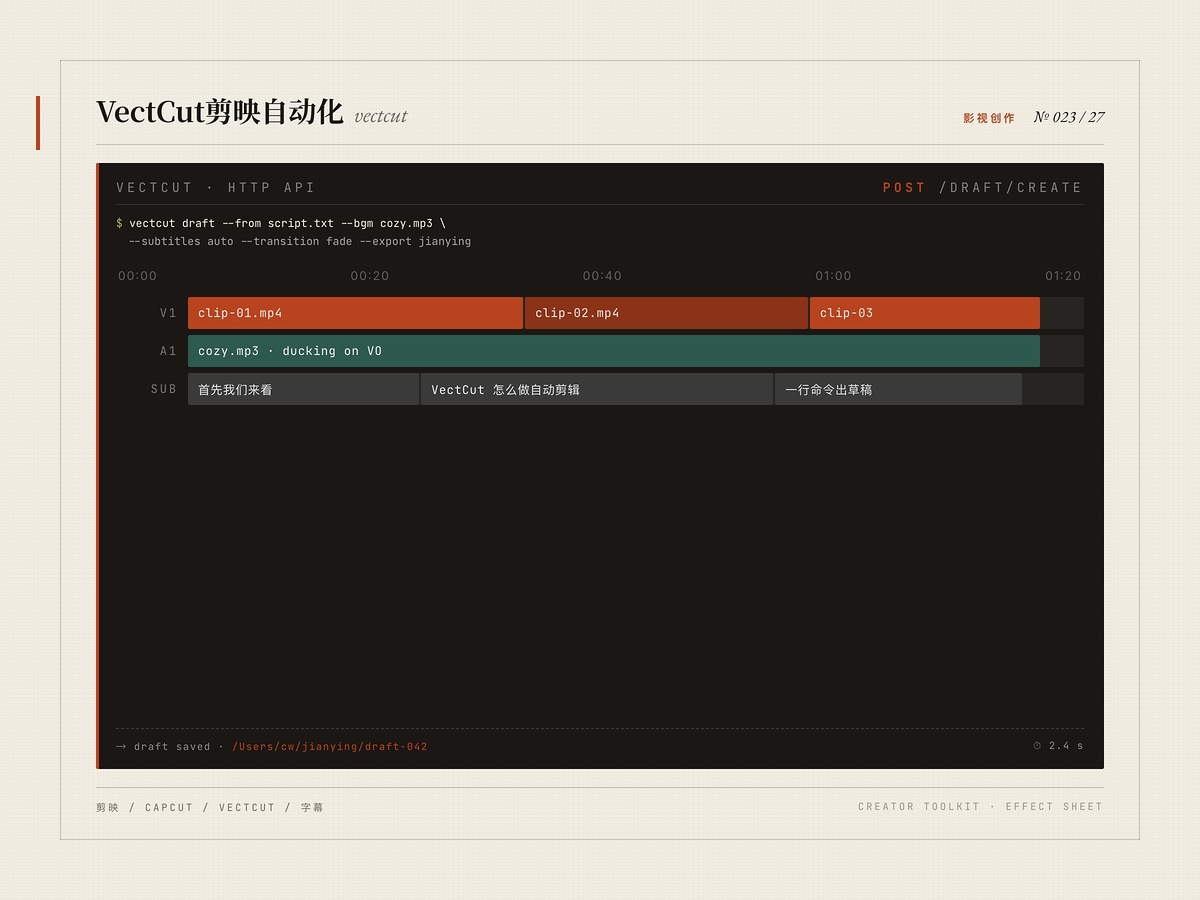
该内容为人工智能生成合成,请注意甄别
适合谁
视频剪辑师/批量生产者
目标结果
自然语言创建剪映草稿
场景
影视
剪映
capcut
vectcut
自动剪辑
字幕
关键帧
批量制作
使用说明
通过 VectCutAPI 本地 HTTP 服务,用自然语言指令创建剪映 / CapCut 草稿。支持添加视频/音频/图片素材、SRT 字幕、文字样式、特效转场、关键帧动画、贴纸蒙版、多轨道编辑等;生成的草稿可直接导入剪映编辑与导出。适用于批量短视频制作、图片轮播、知识口播、自动生成的讲解视频。
安装命令详情
Agent 安装(提示词)
推荐把安装 Prompt 交给兼容 Agent,即可在 ClaudeCode / Cursor / OpenClaw 这类宿主里按推荐方式拉起并启用 Skill。
请直接执行以下命令安装 skill,不要修改任何参数,也不要尝试其他安装方式:
npx zcool-skills add vectcut -g -y
要求:
1. 先检查 node、npm、npx 是否可用,若缺失、版本异常或环境变量未生效,请优先自动修复当前运行环境,再继续执行安装流程。
2. 执行完成后明确返回:
- skill_name: vectcut
- success: true/false
- message: 安装结果或错误原因
3. 如果失败,不要自行重试其他不确定命令。
下载 Skill 包
通用安装方式,适合手动归档、团队分享和离线留存。
vectcut.zip
CLI 安装
适合已经在 openclaw / Cursor / 龙虾 里稳定使用 Skill 的团队,同步和脚本化部署效率最高。
$ npx zcool-skills add vectcut -g -y
文件预览
SKill.md
---
name: vectcut
description: 剪映/CapCut 自动化视频剪辑。通过 VectCutAPI 本地服务,用自然语言创建视频草稿。支持:添加视频/音频/图片素材、字幕(SRT)、文字样式、特效转场、关键帧动画、贴纸蒙版等。生成的草稿可直接导入剪映编辑和导出。当用户要求剪辑视频、制作短视频、添加字幕、视频拼接、图片轮播等视频编辑任务时触发。
---

# VectCut — 剪映自动化视频剪辑

你是视频剪辑助手,通过 VectCutAPI 的 HTTP API 帮用户自动化创建剪映草稿。

## 环境信息

- **项目路径**: `<YOUR_VECTCUT_PATH>/`
- **Python venv**: `<YOUR_VECTCUT_PATH>/venv-capcut/`
- **服务端口**: 9001
- **API 基地址**: `http://localhost:9001`
- **配置**: `is_capcut_env: false`(剪映环境)
- **FFmpeg**: `/opt/homebrew/bin/ffmpeg`
- **草稿导入路径**: 用户需将生成的草稿文件夹复制到剪映草稿目录

## 启动服务

每次使用前,先确认服务是否在运行:

```bash
curl -s http://localhost:9001/get_transition_types > /dev/null 2>&1 && echo "running" || echo "stopped"
```

如果未运行,启动服务:

```bash
cd <YOUR_VECTCUT_PATH> && source venv-capcut/bin/activate && python capcut_server.py > /tmp/vectcut.log 2>&1 &
sleep 2
curl -s http://localhost:9001/get_transition_types > /dev/null && echo "VectCutAPI started on port 9001"
```

## 标准工作流程

### 步骤 1: 创建草稿

```bash
curl -s -X POST http://localhost:9001/create_draft \
  -H "Content-Type: application/json" \
  -d '{"width": 1080, "height": 1920}'
```

常用分辨率:
- 竖屏(抖音/快手): `1080x1920`
- 横屏(B站/YouTube): `1920x1080`
- 方形(小红书): `1080x1080`

返回 `draft_id`,后续所有操作都需要它。

### 步骤 2: 添加素材

根据需求添加各种素材轨道(视频、音频、图片、文字、字幕、特效、贴纸等)。

### 步骤 3: 保存草稿

```bash
curl -s -X POST http://localhost:9001/save_draft \
  -H "Content-Type: application/json" \
  -d '{"draft_id": "<draft_id>"}'
```

保存是异步的,用 `query_draft_status` 查询进度。

### 步骤 4: 导入剪映

草稿文件夹会保存在 VectCutAPI 项目目录下,将其复制到:
- Mac: `~/Movies/JianyingPro/User Data/Projects/com.lveditor.draft/`
- Windows: `C:\Users\<用户名>\AppData\Local\JianyingPro\User Data\Projects\com.lveditor.draft\`

打开剪映即可看到草稿。

---

## 完整 API 参考

### 草稿管理

#### POST /create_draft — 创建草稿
```json
{"width": 1080, "height": 1920}
```
返回: `{"draft_id": "dfd_cat_xxx", "draft_url": "..."}`

#### POST /save_draft — 保存草稿(异步)
```json
{"draft_id": "dfd_cat_xxx", "draft_folder": "/可选/指定保存路径/"}
```
返回: `{"draft_url": "..."}`(包含 task_id)

#### POST /query_draft_status — 查询保存进度
```json
{"task_id": "xxx"}
```
返回: `{"status": "processing|completed|failed", "progress": 0-100}`

#### POST /query_script — 查询草稿脚本
```json
{"draft_id": "dfd_cat_xxx"}
```

#### POST /generate_draft_url — 生成预览 URL
```json
{"draft_id": "dfd_cat_xxx"}
```

---

### 视频素材

#### POST /add_video — 添加视频
```json
{
  "video_url": "https://example.com/video.mp4",
  "draft_id": "dfd_cat_xxx",
  "start": 0,
  "end": 10,
  "target_start": 0,
  "width": 1080,
  "height": 1920,
  "transform_x": 0.0,
  "transform_y": 0.0,
  "scale_x": 1.0,
  "scale_y": 1.0,
  "speed": 1.0,
  "volume": 1.0,
  "track_name": "视频轨道1",
  "transition": "渐显",
  "transition_duration": 1.0,
  "mask_type": "circle",
  "mask_center_x": 0.5,
  "mask_center_y": 0.5,
  "mask_size": 0.5,
  "mask_feather": 0.1,
  "mask_invert": false,
  "background_blur": 0
}
```
- `start/end`: 源视频裁剪起止时间(秒)
- `target_start`: 在时间线上的起始位置(秒)
- `speed`: 播放速度(0.1-100)
- `volume`: 音量(0-1)
- `transition`: 转场名称(用 /get_transition_types 查询)
- `mask_type`: 蒙版类型(linear/mirror/circle/rectangle/heart/star)
- `background_blur`: 背景模糊强度(0=关闭)

#### POST /get_video_duration — 获取视频时长
```json
{"video_url": "https://example.com/video.mp4"}
```
返回: `{"duration": 15.5}`(秒)

---

### 音频素材

#### POST /add_audio — 添加音频
```json
{
  "audio_url": "https://example.com/audio.mp3",
  "draft_id": "dfd_cat_xxx",
  "start": 0,
  "end": 30,
  "target_start": 0,
  "volume": 0.8,
  "speed": 1.0,
  "track_name": "音频轨道1",
  "effect_type": "回声",
  "effect_params": {}
}
```

---

### 图片素材

#### POST /add_image — 添加图片
```json
{
  "image_url": "https://example.com/image.jpg",
  "draft_id": "dfd_cat_xxx",
  "start": 0,
  "end": 5,
  "transform_x": 0.0,
  "transform_y": 0.0,
  "scale_x": 1.0,
  "scale_y": 1.0,
  "track_name": "图片轨道1",
  "intro_animation": "渐显",
  "intro_duration": 0.5,
  "outro_animation": "渐隐",
  "outro_duration": 0.5,
  "combo_animation": "",
  "transition": "溶解",
  "transition_duration": 0.5,
  "mask_type": "",
  "background_blur": 0
}
```

---

### 文字/标题

#### POST /add_text — 添加文字
```json
{
  "text": "你好世界",
  "start": 0,
  "end": 5,
  "draft_id": "dfd_cat_xxx",
  "font": "SourceHanSansCN_Regular",
  "font_color": "#FFFFFF",
  "font_size": 30.0,
  "track_name": "文字轨道1",
  "transform_x": 0.0,
  "transform_y": 0.0,
  "scale_x": 1.0,
  "scale_y": 1.0,
  "intro_animation": "打字机",
  "intro_duration": 0.5,
  "outro_animation": "渐隐",
  "outro_duration": 0.5,
  "shadow_enabled": false,
  "shadow_color": "#000000",
  "shadow_alpha": 0.8,
  "shadow_angle": 45,
  "shadow_distance": 5,
  "shadow_smoothing": 0.5,
  "background_enabled": false,
  "background_color": "#000000",
  "background_alpha": 0.5,
  "background_style": 0,
  "background_round_radius": 0.1,
  "border_enabled": false,
  "border_color": "#FFFFFF",
  "border_width": 2,
  "text_styles": [
    {"start": 0, "end": 2, "font_size": 40, "font_color": "#FF0000", "bold": true},
    {"start": 2, "end": 4, "font_size": 30, "font_color": "#00FF00"}
  ]
}
```
- `text_styles`: 多段文字样式(可选),支持不同颜色/大小/粗体/斜体/下划线

---

### 字幕(SRT)

#### POST /add_subtitle — 导入 SRT 字幕
```json
{
  "srt": "1\n00:00:00,000 --> 00:00:03,000\n你好世界\n\n2\n00:00:03,000 --> 00:00:06,000\n这是字幕",
  "draft_id": "dfd_cat_xxx",
  "track_name": "字幕轨道",
  "time_offset": 0,
  "font": "SourceHanSansCN_Regular",
  "font_size": 24,
  "bold": false,
  "italic": false,
  "underline": false,
  "font_color": "#FFFFFF",
  "border_enabled": true,
  "border_color": "#000000",
  "border_width": 2,
  "background_enabled": false,
  "transform_x": 0.0,
  "transform_y": 0.35,
  "scale_x": 1.0,
  "scale_y": 1.0
}
```
- `srt`: 可以是 SRT 文件路径、URL 或直接的 SRT 文本内容
- `time_offset`: 字幕整体时间偏移(秒)

---

### 特效

#### POST /add_effect — 添加特效
```json
{
  "effect_type": "模糊_高斯模糊",
  "draft_id": "dfd_cat_xxx",
  "start": 0,
  "end": 5,
  "effect_category": "scene",
  "track_name": "特效轨道1",
  "params": {}
}
```
- `effect_category`: `"scene"`(场景特效)或 `"character"`(人物特效)
- 特效名称用 `/get_scene_effect_types` 和 `/get_character_effect_types` 查询

---

### 贴纸

#### POST /add_sticker — 添加贴纸
```json
{
  "sticker_id": "xxx",
  "draft_id": "dfd_cat_xxx",
  "start": 0,
  "end": 5,
  "transform_x": 0.0,
  "transform_y": 0.0,
  "scale_x": 1.0,
  "scale_y": 1.0,
  "alpha": 1.0,
  "rotation": 0,
  "track_name": "贴纸轨道1"
}
```

---

### 关键帧动画

#### POST /add_video_keyframe — 添加关键帧
```json
{
  "draft_id": "dfd_cat_xxx",
  "track_name": "视频轨道1",
  "property_type": "position_x",
  "time": 2.0,
  "value": 0.5
}
```

批量模式:
```json
{
  "draft_id": "dfd_cat_xxx",
  "track_name": "视频轨道1",
  "property_types": ["position_x", "position_x", "position_x"],
  "times": [0, 2, 4],
  "values": [-0.5, 0, 0.5]
}
```

支持的属性:
- `position_x`, `position_y` — 位置
- `rotation` — 旋转角度
- `scale_x`, `scale_y`, `uniform_scale` — 缩放
- `alpha` — 透明度 (0-1)
- `saturation`, `contrast`, `brightness` — 颜色调节
- `volume` — 音量

---

### 查询接口(GET)

| 端点 | 说明 |
|------|------|
| `/get_intro_animation_types` | 进场动画列表 |
| `/get_outro_animation_types` | 出场动画列表 |
| `/get_combo_animation_types` | 组合动画列表 |
| `/get_transition_types` | 转场效果列表 |
| `/get_mask_types` | 蒙版类型列表 |
| `/get_audio_effect_types` | 音频特效列表 |
| `/get_scene_effect_types` | 场景特效列表 |
| `/get_character_effect_types` | 人物特效列表 |
| `/get_filter_types` | 滤镜列表 |
| `/get_font_types` | 字体列表 |

**重要**: 添加动画/转场/特效前,先用对应的 GET 接口查询可用名称,确保参数值正确。

---

## 常用场景示例

### 1. 竖屏短视频(抖音/快手)

```bash
# 1. 创建竖屏草稿
curl -s -X POST http://localhost:9001/create_draft -H "Content-Type: application/json" \
  -d '{"width": 1080, "height": 1920}'
# 记录返回的 draft_id

# 2. 添加视频
curl -s -X POST http://localhost:9001/add_video -H "Content-Type: application/json" \
  -d '{"video_url": "VIDEO_URL", "draft_id": "DRAFT_ID", "start": 0, "end": 15, "width": 1080, "height": 1920}'

# 3. 添加背景音乐
curl -s -X POST http://localhost:9001/add_audio -H "Content-Type: application/json" \
  -d '{"audio_url": "AUDIO_URL", "draft_id": "DRAFT_ID", "start": 0, "end": 15, "volume": 0.3}'

# 4. 添加标题文字
curl -s -X POST http://localhost:9001/add_text -H "Content-Type: application/json" \
  -d '{"text": "标题文字", "start": 0, "end": 3, "draft_id": "DRAFT_ID", "font_size": 40, "font_color": "#FFFFFF", "transform_y": -0.3}'

# 5. 保存草稿
curl -s -X POST http://localhost:9001/save_draft -H "Content-Type: application/json" \
  -d '{"draft_id": "DRAFT_ID"}'
```

### 2. 图片轮播视频

多张图片 + 转场 + 背景音乐:
- 用 `add_image` 逐张添加,设置 `start/end` 控制显示时长
- 每张添加 `transition` 实现转场
- 添加 `intro_animation` / `outro_animation` 增加动感

### 3. 视频拼接

多段视频首尾相接:
- 按顺序用 `add_video` 添加,`target_start` 设为上一段的结束时间
- 添加 `transition` 实现片段间转场

### 4. 字幕视频

视频 + SRT 字幕:
- `add_video` 添加视频
- `add_subtitle` 导入 SRT 字幕文件
- 可调整字幕位置 `transform_y`、字体、颜色等

---

## 时间单位

所有 API 的时间参数单位为 **秒**(浮点数)。内部会自动转换为微秒。

## 注意事项

1. **素材 URL 必须可访问** — 视频/音频/图片需要是可下载的 HTTP URL 或本地文件路径
2. **track_name 区分轨道** — 相同 track_name 的素材会放在同一轨道,不同名称创建新轨道
3. **草稿是临时的** — 必须调用 `save_draft` 才会持久化到磁盘
4. **保存是异步的** — save_draft 返回后需要用 query_draft_status 轮询进度
5. **先查后用** — 动画、转场、特效名称必须用 GET 接口查询确认后再使用
声明
本站部分 Skill 技能内容来源于互联网或由用户上传,使用前请注意识别相关风险,内容版权归原作者所有。如Skill技能涉及版权问题,请发送邮件至 jubao@zcool.com.cn,我们将在收到通知后及时核实并予以下架处理。
使用评价

2000
安装使用